
The in-text (outstream) ROS video is an advertising format displayed within articles on both the La Presse mobile app and website. It features autoplay functionality.

When booking through Atelier Direct, only geographic targeting is available for this format. Therefore, you must select Reach a wide audience to enable this placement.
Technical specifications
Ratio: 16:9
Video adapts to different player dimensions.
File type: MP4 or MOV
Maximum file size: 60 MB
Lengh: 15 or 30 seconds
With the exception of movie trailers, English soundtrack with French subtitles are not accepted.
Upload steps
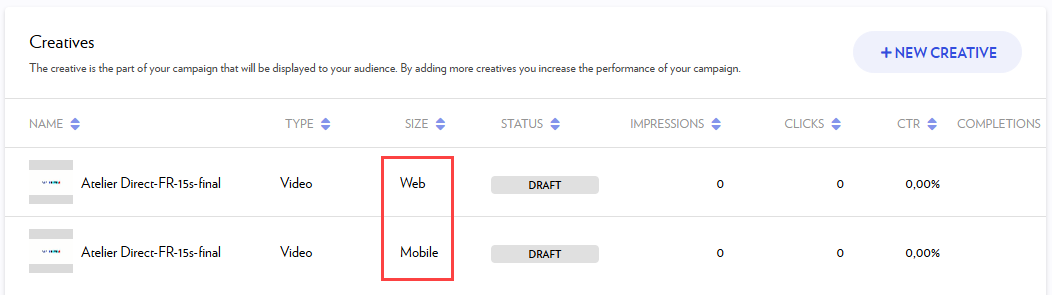
Video creatives must be uploaded twice to be added to a campaign: once for web and once for mobile.
-
Click on + New Creative, available during the Creatives step of the Campaign Wizard or within the Creatives tab of an existing campaign (for more details, see the Adding creatives section).
-
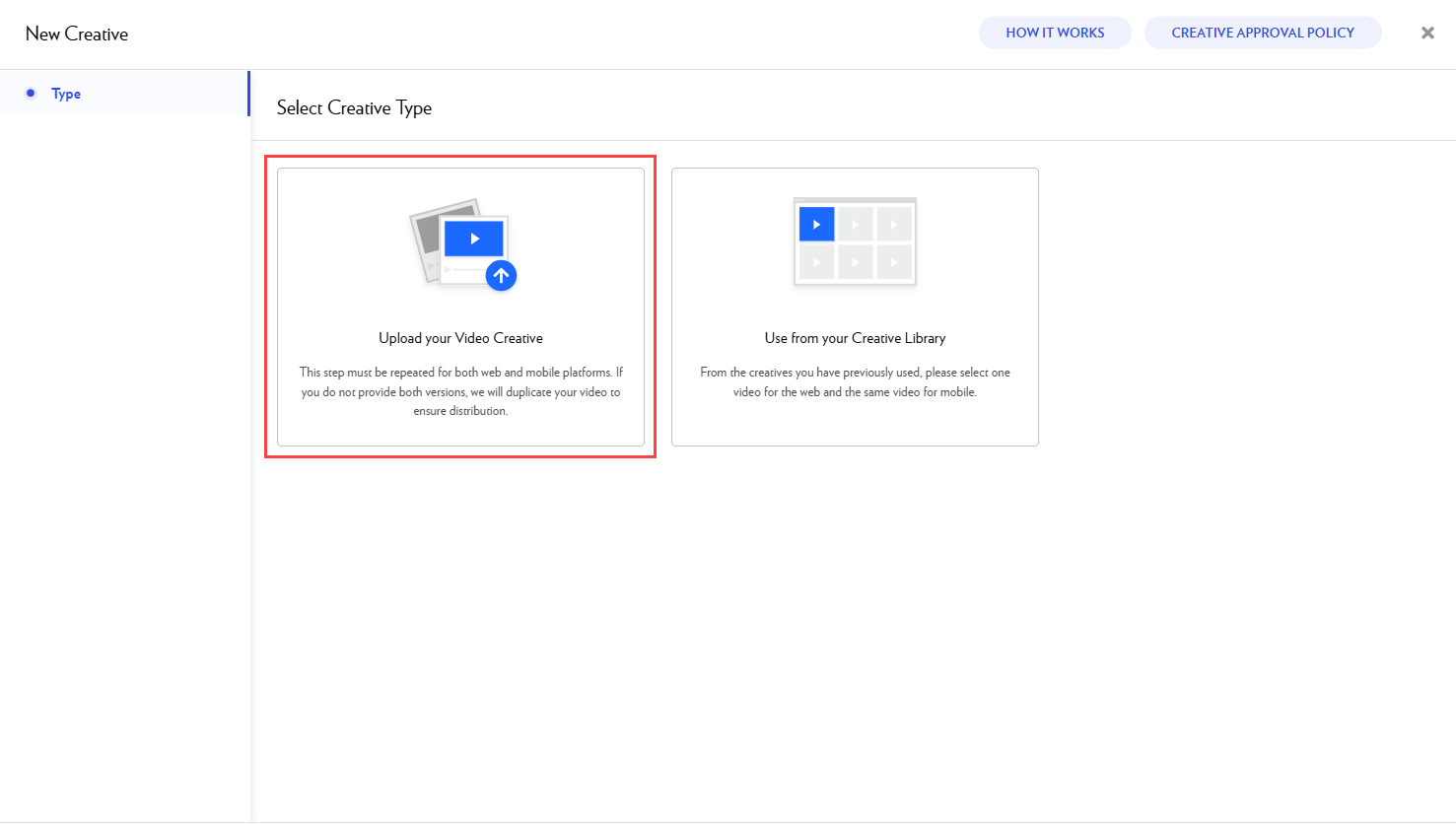
Select Upload your Video Creative.
-
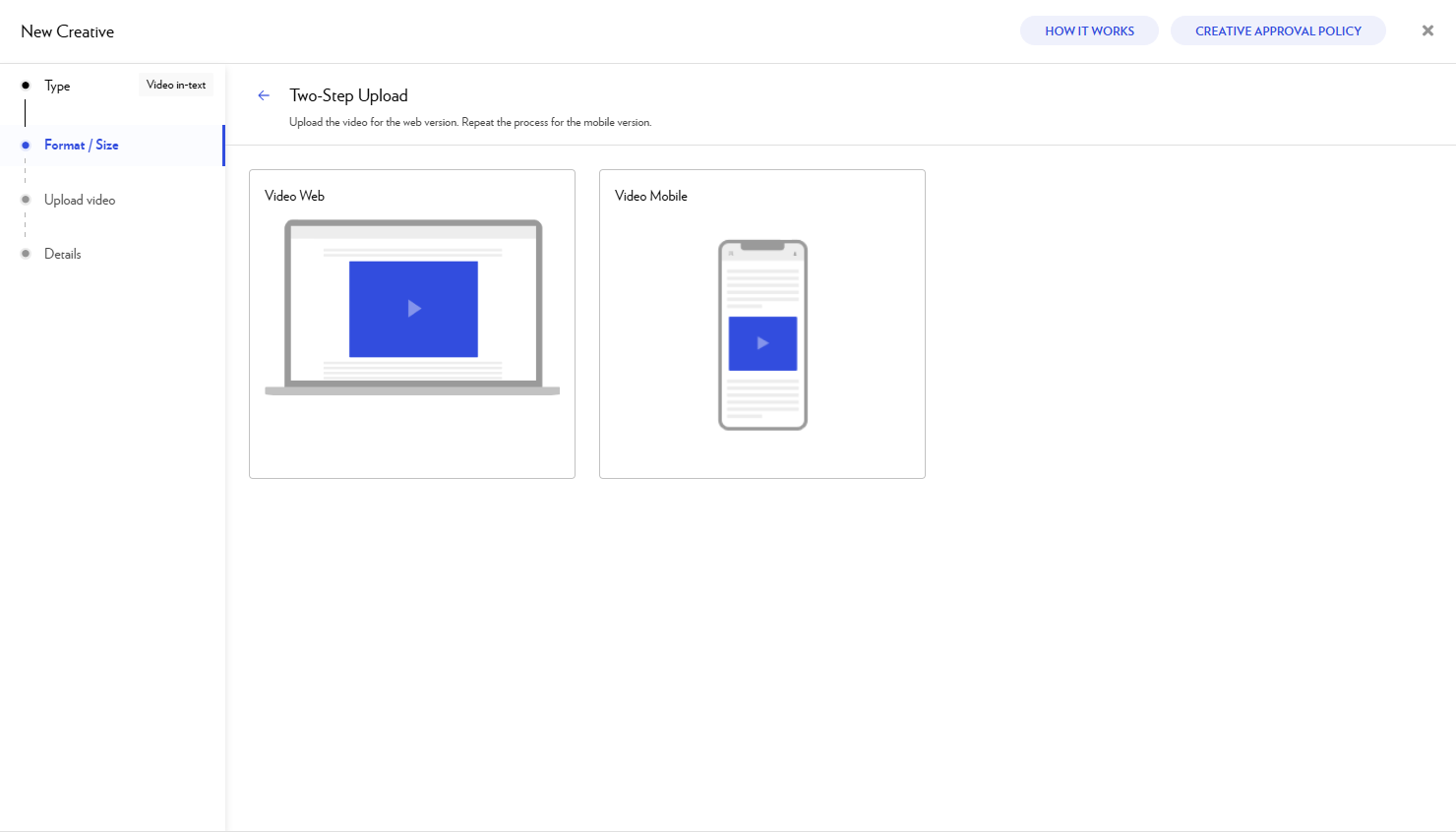
Select Web Video for your first upload and follow the instructions. For the second upload, choose Mobile Video at this same step.
-
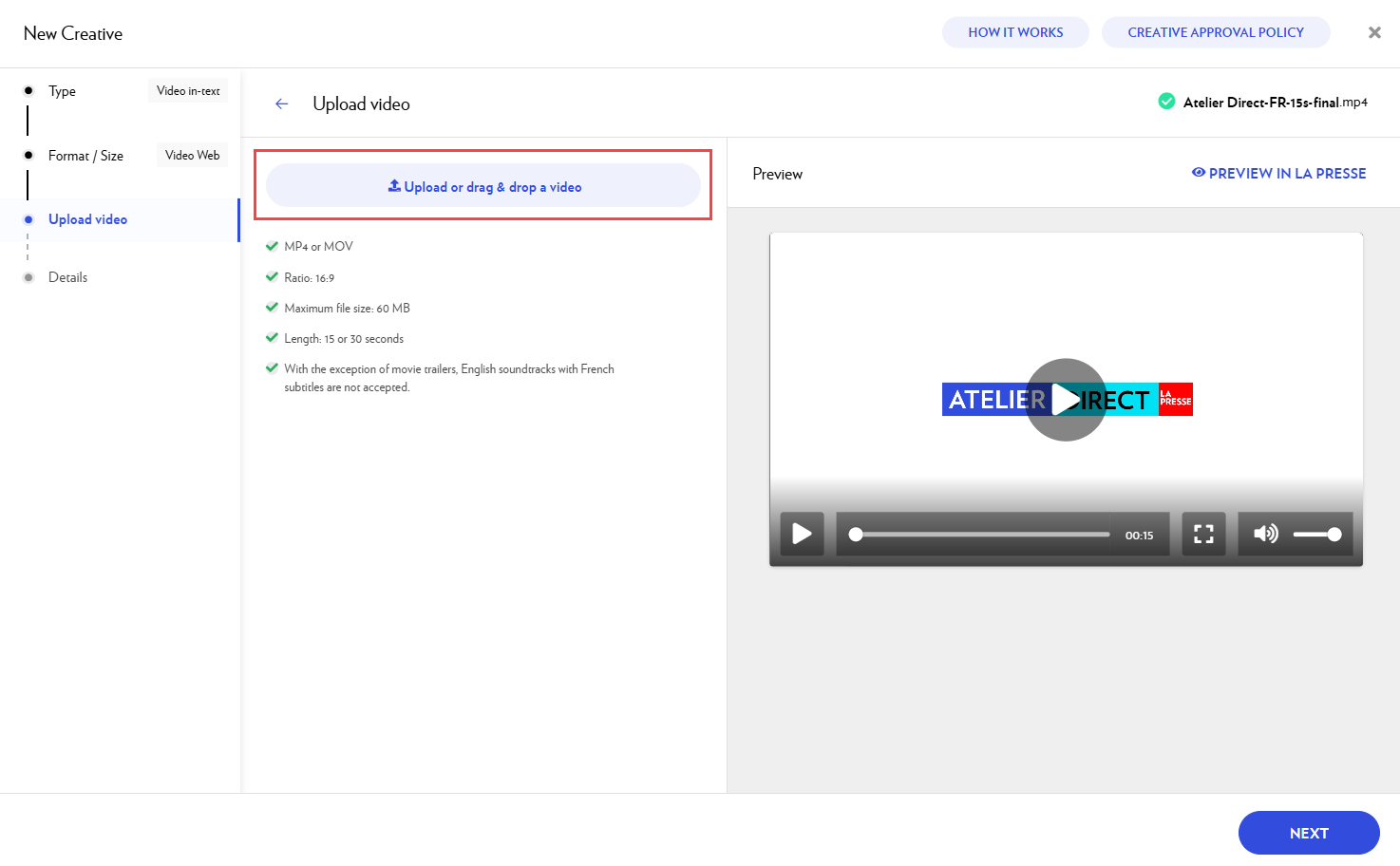
Add the video you want to use. You can:
-
Upload a video from your computer by clicking on the blue rectangle.
-
Drag and drop your video file directly in the rectangle.
-
-
Click Next.
-
In Details:
-
The file name will automatically entered in the Creative name field.
-
Add a destination URL.
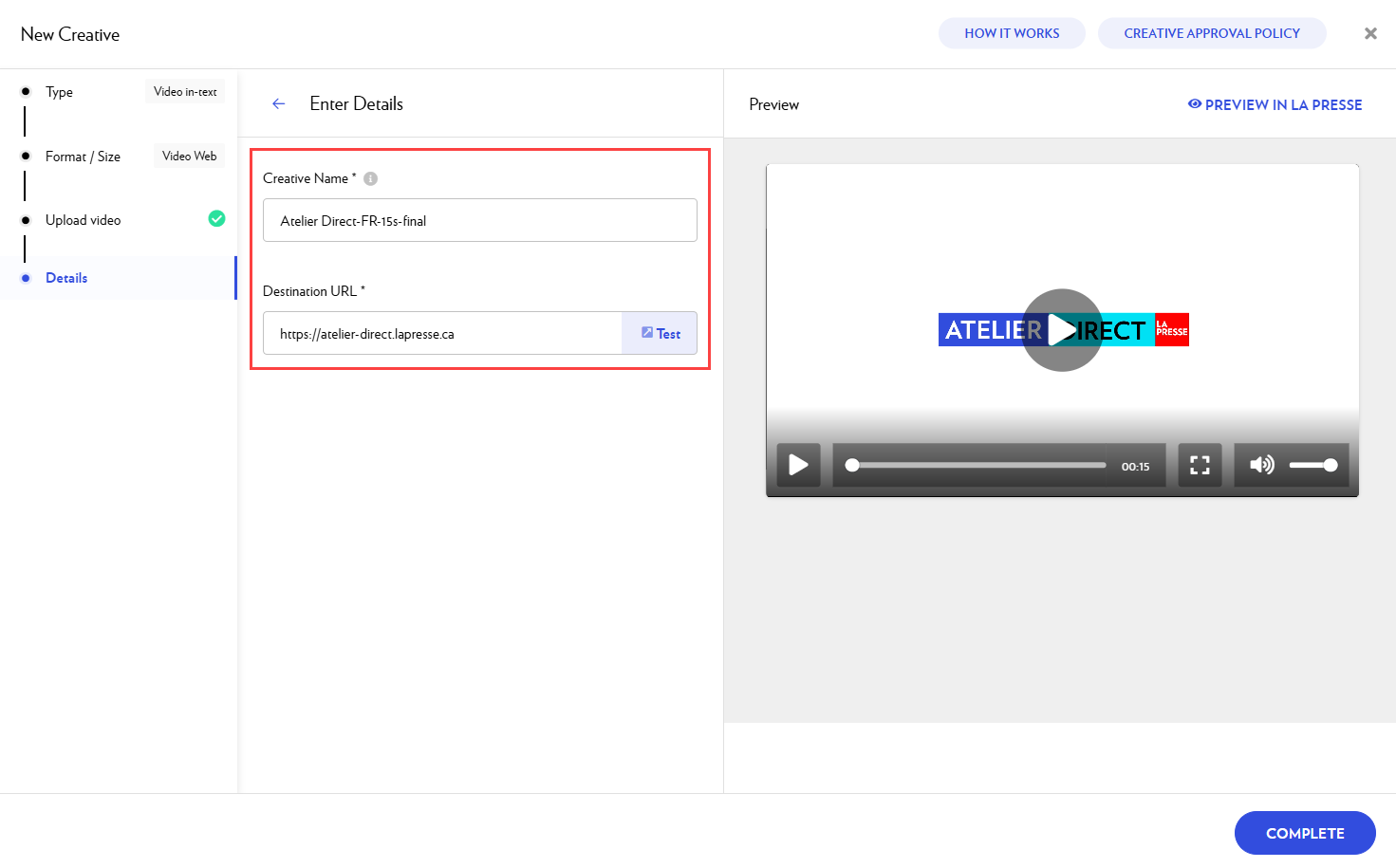
If you wish, you can add UTM parameters to your destination URL to identify the origin of the traffic generated by each creative and each campaign.
-
-
Click on Preview in La Presse to see how your ad will appear in our editions.
-
When you are done, select Complete.
-
Your new creative has been added to your campaign.
-
Repeat these steps, ensuring you select the remaining platform (Web or Mobile) at step 3.
-
As a final step, verify the creative list in your campaign to ensure both platform versions are present. If one is missing, we will duplicate your video to ensure full delivery across both platforms.
-
Once payment is completed, both videos will be submitted for approval.
Common questions
My video is 20 seconds long. Can I use it?
Yes. Although our standard durations are 15 and 30 seconds, we accept video assets with any duration between 15 and 30 seconds.
Can I use a video that does not have audio?
Yes, absolutely. Videos without sound are accepted without any issues.