
An order is automatically generated as soon as a payment is completed. It may include one or multiple advertising campaigns.
You can view your full transaction history in the Orders section of the left sidebar.
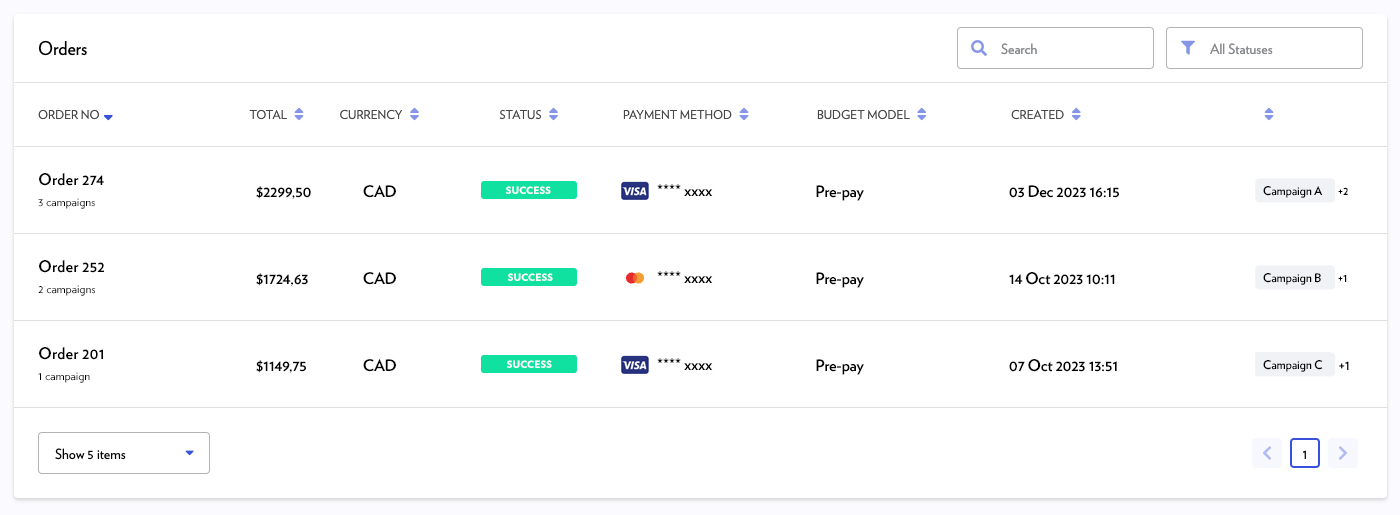
Viewing order details
To view the contents of an order:
-
Navigate to the Orders section.
-
Click on the specific order to display the list of associated campaigns.
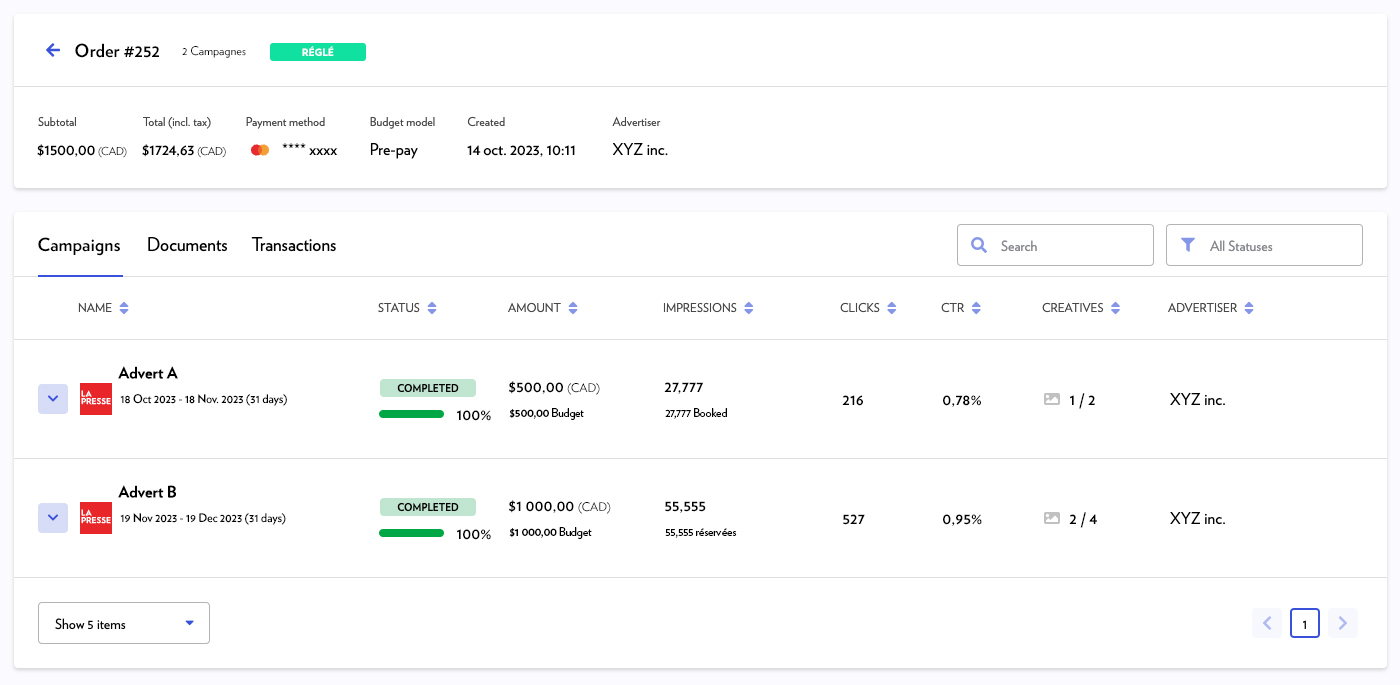
Invoices and credit notes
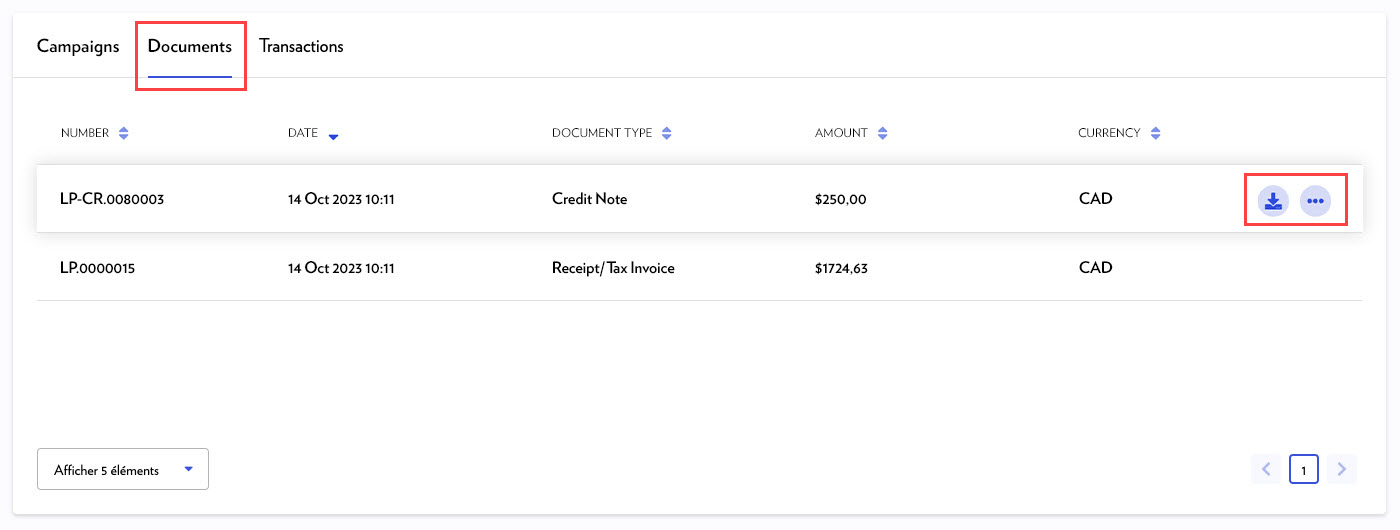
All your accounting documents (invoices and credit notes) are grouped under the Documents tab within each order.
-
Invoices: Available immediately after payment, even if the campaign has not yet started.
-
Credit notes: Processed within 3 to 5 business days after the campaign ends.
To view or download a document:
-
Go to the Orders section (blue column on the left).
-
Click on the relevant order.
-
Select the Documents tab.
-
Hover your cursor over the document line to reveal the following options:
-
Download icon: To save the document as a PDF.
-
Three-dot icon: To preview or print the document.
-
Transactions
The Transactions tab lists all financial movements (payments and refunds) related to an order.
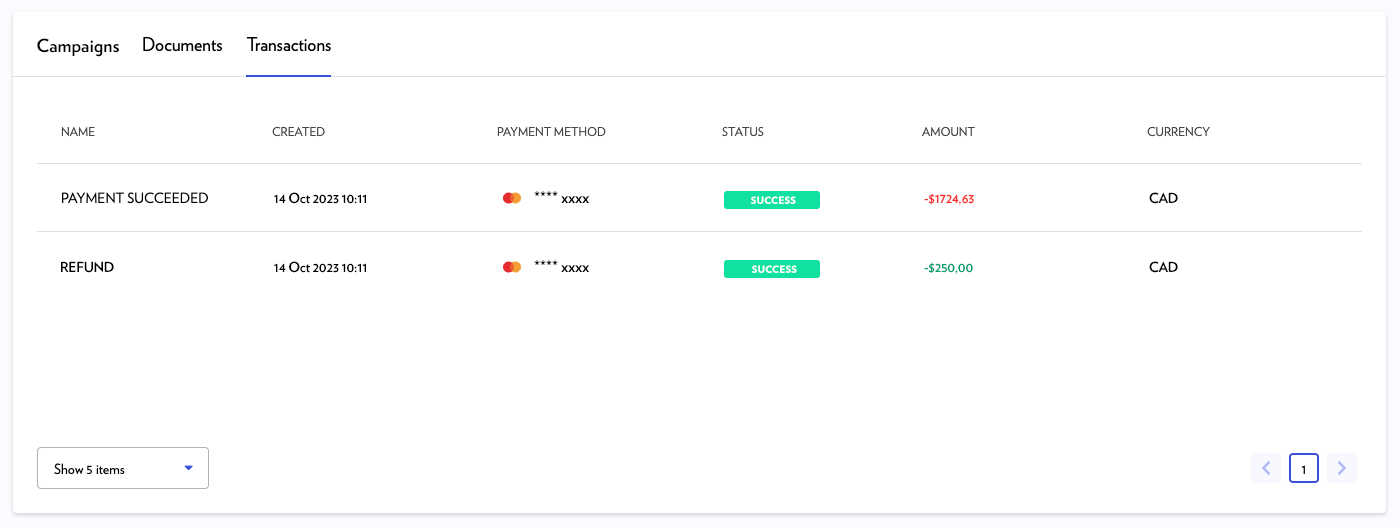
Note: If a campaign under-delivered, the credited amount will be found in the Transactions tab and the corresponding credit note in the Documents tab.